Training plans.
A training plan is a running plan: a walk-to-run beginner plan, a twenty-week half marathon. It is the same shape as a program: a named multi-week thing with days you start. What differs is the unit. Its days are measured in minutes and miles instead of sets and reps.
Bring your plan
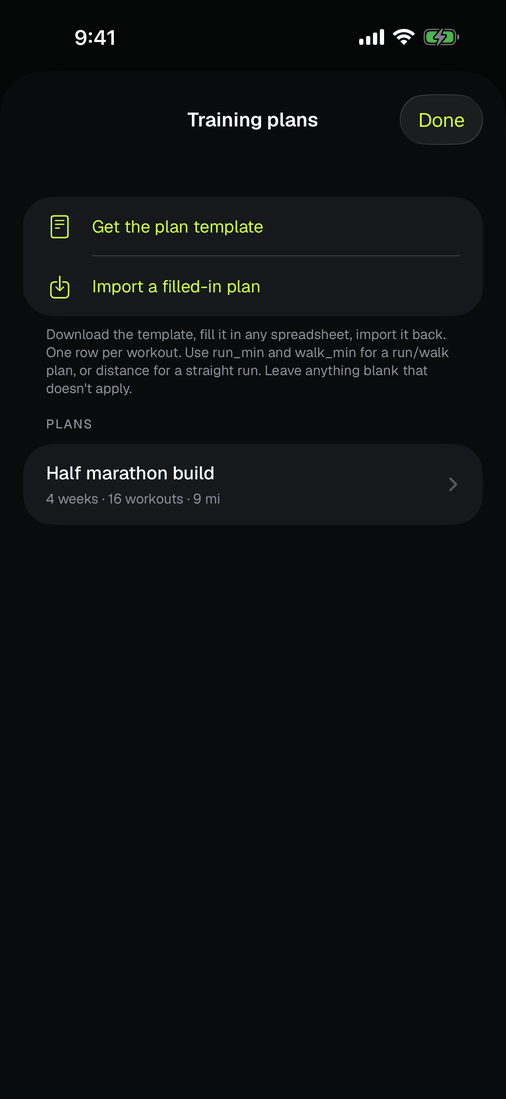
Plans come from a spreadsheet, because the plan you found is already a table and typing sixty workouts through nested screens is punishing. Under Workouts, open Training plans and tap Get the plan template. Fill it in anywhere that edits a CSV, then Import a filled-in plan.
One row per workout. The units live in the column names, so the header is the legend:
| week | day | name | activity | warmup_min | run_min | walk_min | rounds | cooldown_min | distance_mi | times_per_week | |
|---|---|---|---|---|---|---|---|---|---|---|---|
| 1 | 1 | 1 | Run 1 walk 3 | run | 5 | 1 | 3 | 6 | 5 | 3 | |
| 2 | 2 | 1 | Long run | run | 5 | 5 | 1.5 | 1 |
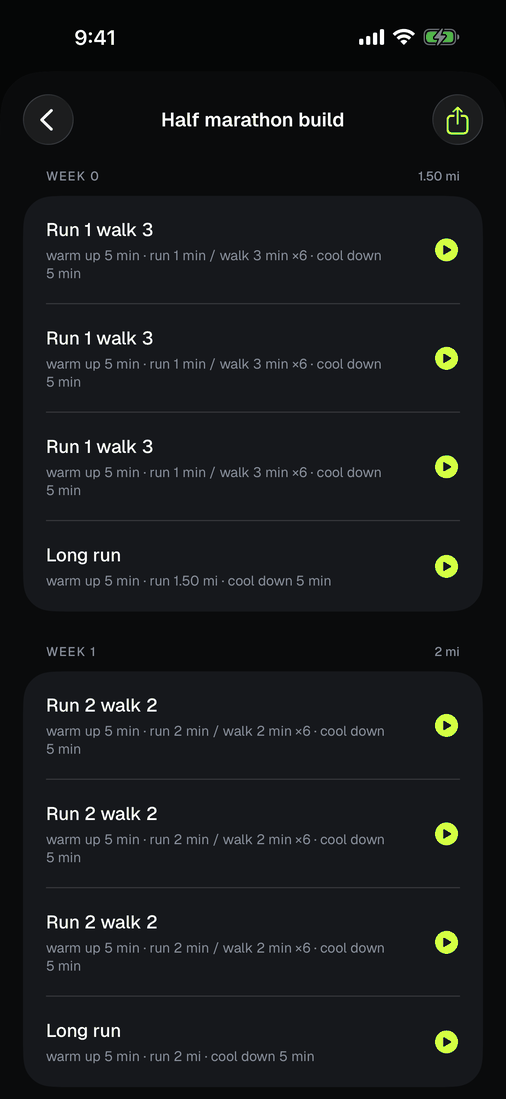
The first row is a run/walk day: five minutes of warm up, then run one minute and walk three, six times, then five minutes of cool down. The second is a straight distance day. Leave anything blank that does not apply, and note that run_min wins over distance_mi if you fill in both.
times_per_week expands. A row marked 3 becomes three separate days, so week one reads D1, D2, D3 rather than one day repeated. That is what lets the app tell you which of the three you are on.
Start where you actually are
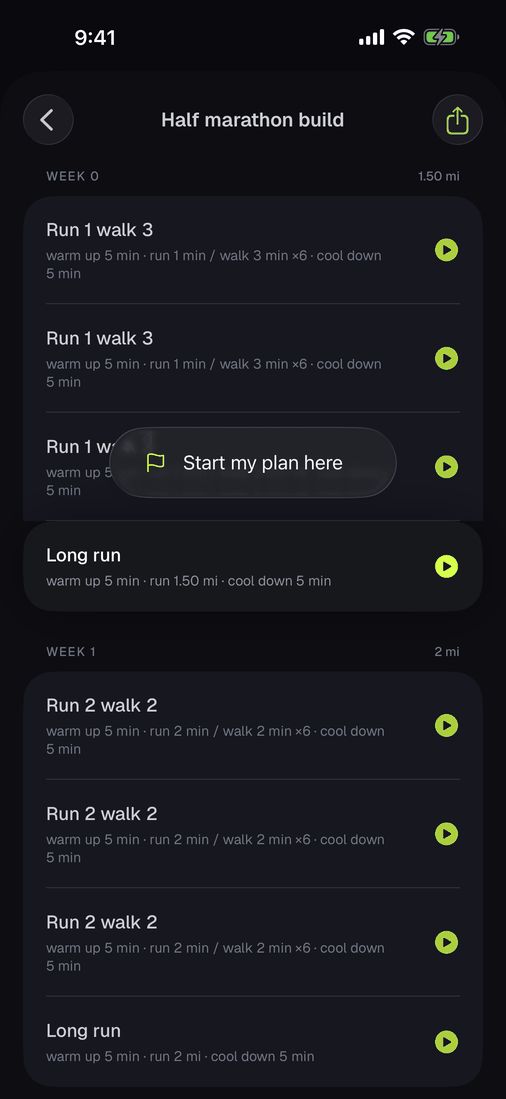
You do not restart a twenty-week build because you changed apps. Long-press any day in the plan and choose Start my plan here. Everything before that day is treated as behind you, and Delta does not invent workouts you never did to make the arithmetic work.
With more than one plan loaded, one of them is active and drives NEXT CARDIO. Importing a plan makes it active only if nothing else is underway; otherwise your current plan keeps going and Delta tells you so. Long-press a plan to switch.
Run it
NEXT CARDIO on Home shows the prescribed day and where you are in the plan. Tap play and the workout starts with the whole day loaded.
A timed leg counts down in minutes; a distance leg counts down in miles. Delta never converts between the two, because turning 1.5 miles into minutes would invent a pace nobody prescribed. Every switch taps your wrist: a rising double pulse into a run, a softer descending one into a walk, with three light clicks in the last seconds so you arrive already moving. A distance leg gets one pulse about fifteen seconds out, judged from your pace on that leg.
Warm-ups and cool-downs can be skipped from either device. The prescribed work cannot, because skipping that is skipping the workout.
Leave the phone
The watch holds the entire prescribed day, not a reference to one. Start it from the wrist, run it, skip a warm-up, finish. Your phone finds out when you are back in range, and the plan moves on a day.
Share it
One person transcribes the sheet; everyone else receives it. Open a plan and tap share to send a .deltaplan file by AirDrop or Messages. What travels is the prescription only: no history, no start date, fresh ids. Their week one is whenever they begin.
If tapping the file does not open Delta, save it to Files and use Import inside the app. Messages sometimes previews a document rather than handing it over.