Programs and waves.
A program is routines with a calendar: ordered days (Workout A, Workout B), each fully configured, run in rotation. Add percent targets and week-by-week waves and Delta computes the loads from your top weights. You author the plan; Delta does the arithmetic.
Build the days
Under Workouts, open Programs and create one. Add days, then fill each day's exercise list the same way you build a routine. A day can mix modes: percent-driven main lifts, plain linear-progression accessories, bodyweight work.
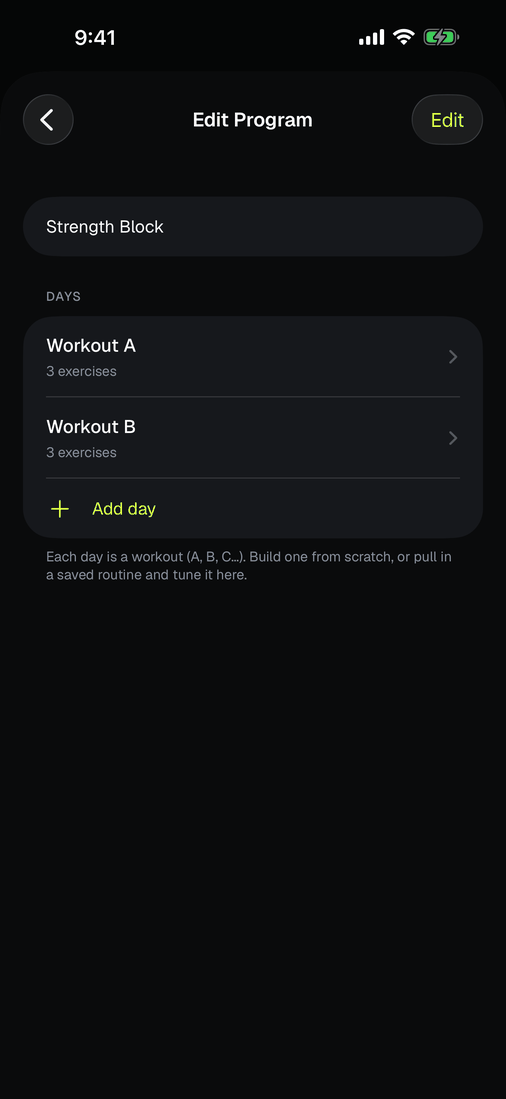
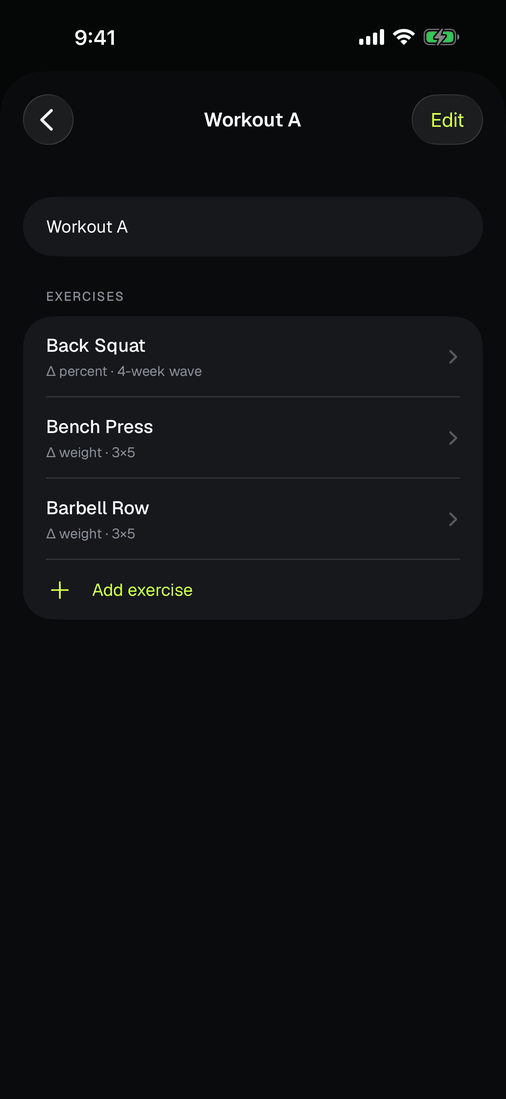
Bring your program
The other way in is a spreadsheet. A program you found is already a table, and retyping it through nested screens is the punishing part. Under Workouts, open Programs and tap Get the program template. Fill it in anywhere that edits a CSV, then Import a filled-in program.
One row per exercise. Rows sharing a day are one workout, and the order you write them is the order they run:
| day | exercise | work_sets | reps | warmup_sets | start_weight_lb | percent_of_top | top_weight_lb | rep_low | rep_high | amrap | superset_group | group | mode | |
|---|---|---|---|---|---|---|---|---|---|---|---|---|---|---|
| 1 | Workout A | Back Squat | 3 | 5 | 2 | 185 | ||||||||
| 2 | Workout B | Deadlift | 1 | 5 | 2 | 80 | 315 | |||||||
| 3 | Workout B | Chin-ups | 3 | 8 | 12 | 1 | ||||||||
| 4 | Workout B | Dips | 3 | 8 | 12 | 1 |
Row 1 is plain straight sets: three working sets of five behind two warm-ups, with a weight to start from. Row 2 is a percent top set at 80% of a 315 top weight, and importing it sets that top weight in Delta so every percent resolves. Rows 3 and 4 share superset_group 1, so they alternate.
Only day and exercise are required. group and mode stay blank almost always, because Delta reads both from the exercise name, and a lift it has never heard of imports exactly as you typed it rather than being dropped. The file carries a legend under the data, every line starting with a #, which import skips. Leave it or delete it.
Going the other way, Export as spreadsheet hands the whole program back in the same shape. Week-by-week waves do not fit a flat table and stay in the builder, and the export says so rather than quietly flattening a wave down to its first week.
Sharing is a different file on purpose. Share program sends the structure with every weight stripped out, because your top weight is yours and not part of the plan. The spreadsheet is for you; the shared file is for everyone else.
Percent targets
Switch a lift to Δ percent and its sets become percentages of a Top Weight you own: 5 at 75%, 3 at 85%, whatever you write. When the top weight moves, every computed load moves with it. The set list shows both the percent and the pounds, so there is no mental math under the bar.
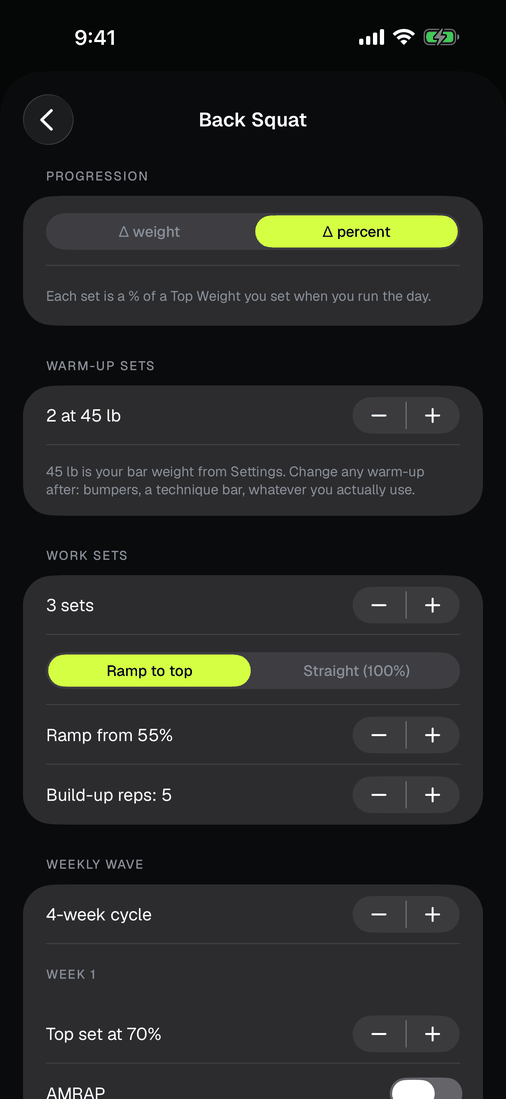
On the day, the card arrives computed: each percent row shows its target, and the whole ladder re-prices the moment the Top Weight moves.
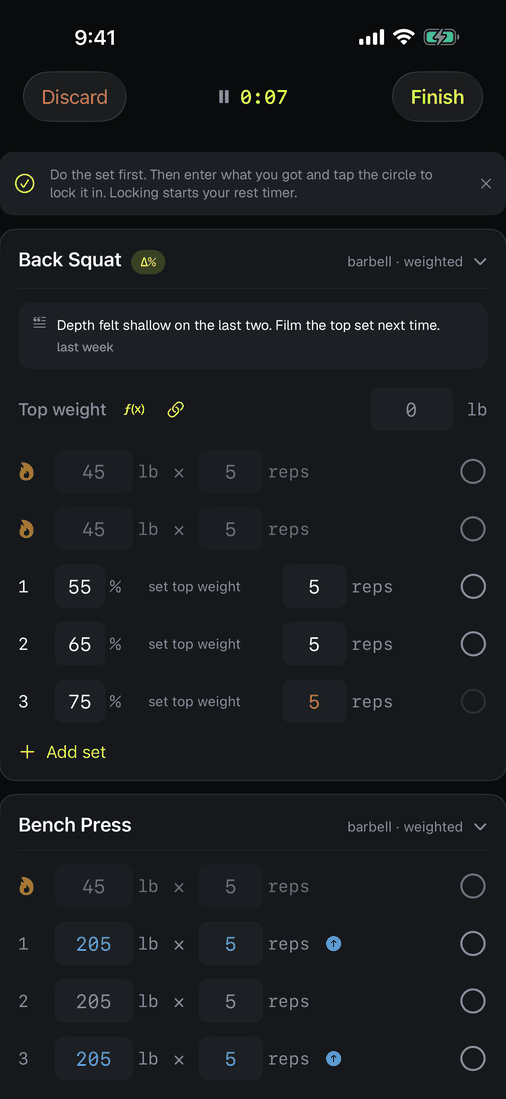
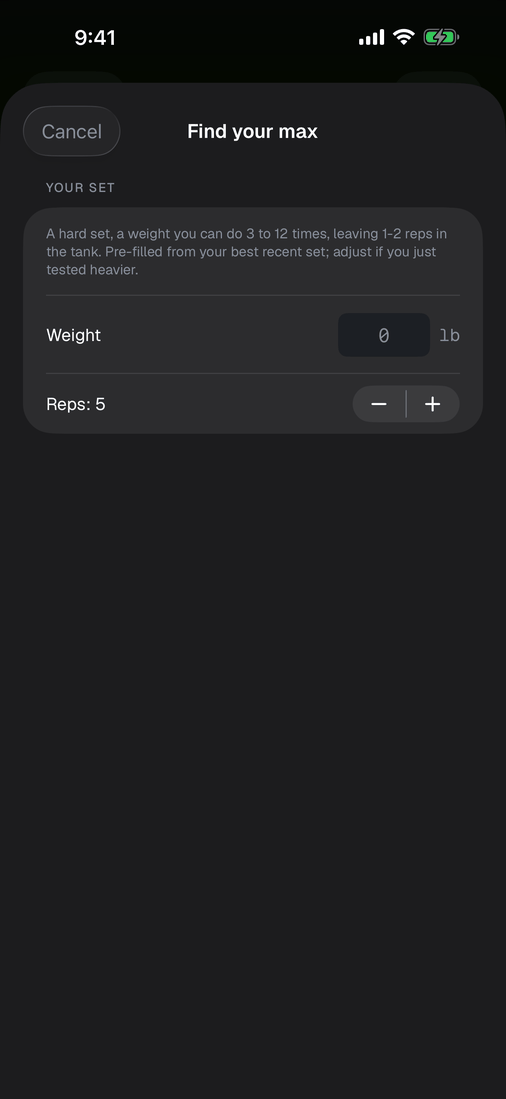
No max to anchor to? Find your max estimates one from any recent hard set (Epley's formula, the same convention the 1RM chart uses; most reliable at low reps, and always labeled an estimate).
Waves
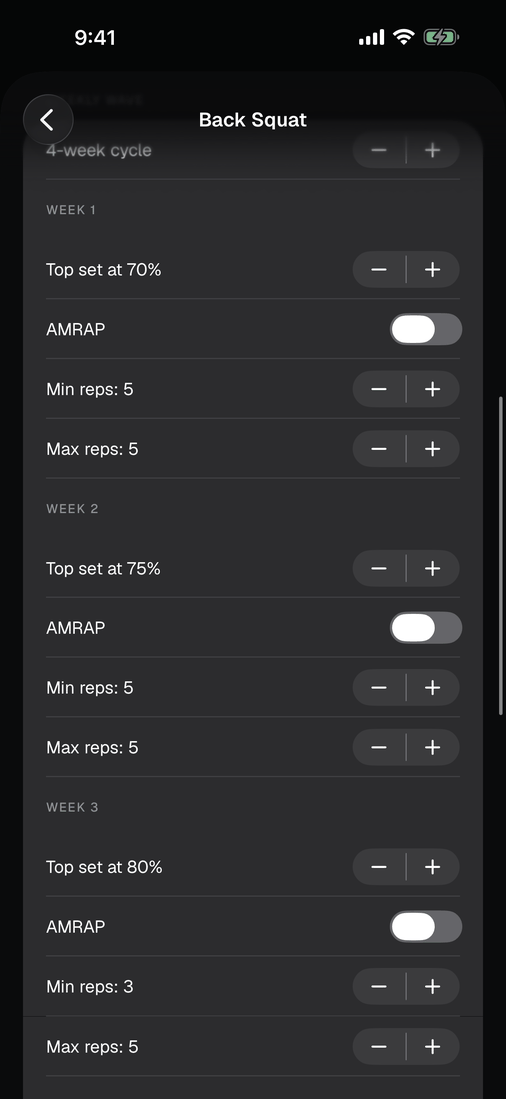
A wave varies the percent targets week by week. The classic shape is something like 70% / 75% / 80%, then a lighter week, then repeat a notch heavier. In Delta a wave is just the percent scheme written per week; the program tracks which week you are in and compiles the right loads when you start a day. Conventions differ by program tradition; Delta runs whatever numbers you write and recommends none.
Run it
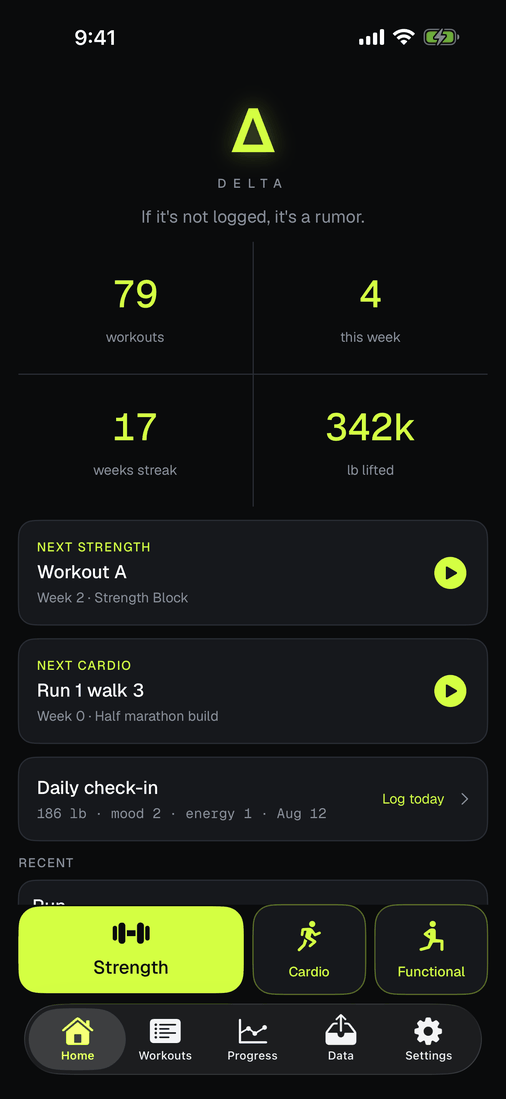
Home leads with NEXT UP: the day the rotation says is next. Start it there, or from the wrist, where the watch runner steps through the plan set by set. Skip around freely; the rotation follows what you actually finish, not the calendar.
When a cycle completes
Finish the last week and Delta asks one question per percent lift: what is the new Top Weight? Nudge it up, keep it, or drop it. You decide, per lift, every time. The next cycle compiles from your answers. Delta never changes a weight on its own.